
Organization Settings
Audit Log
Audit Log records sign-ins and user actions across the platform, giving admins and auditors a single place to review who did what, from where, and when.
What’s recorded
Section titled “What’s recorded”The log has two tabs:
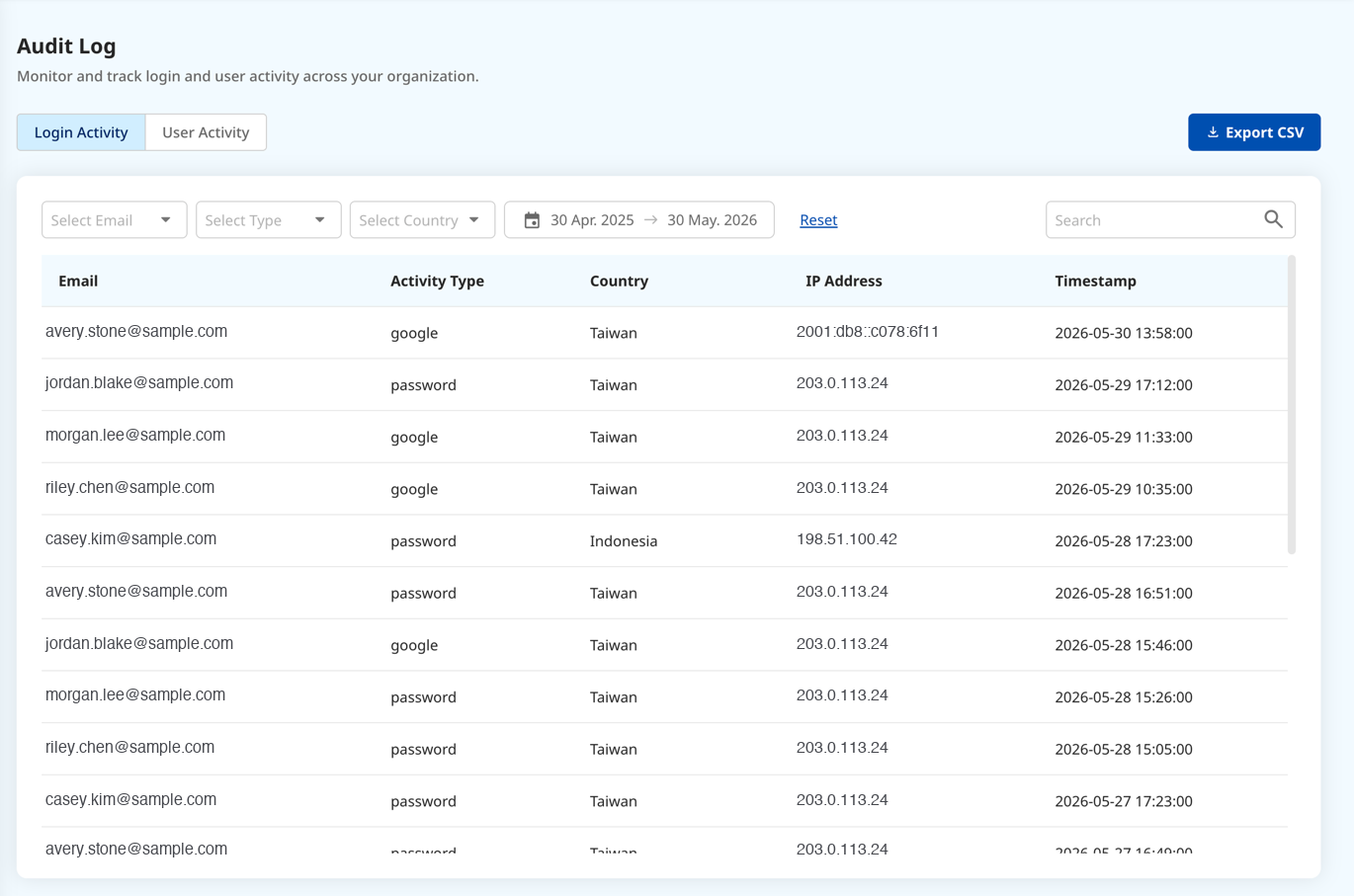
- Login — sign-in events. Failed logins are highlighted in red.
- User Activity — actions users take, each with an expandable change summary.
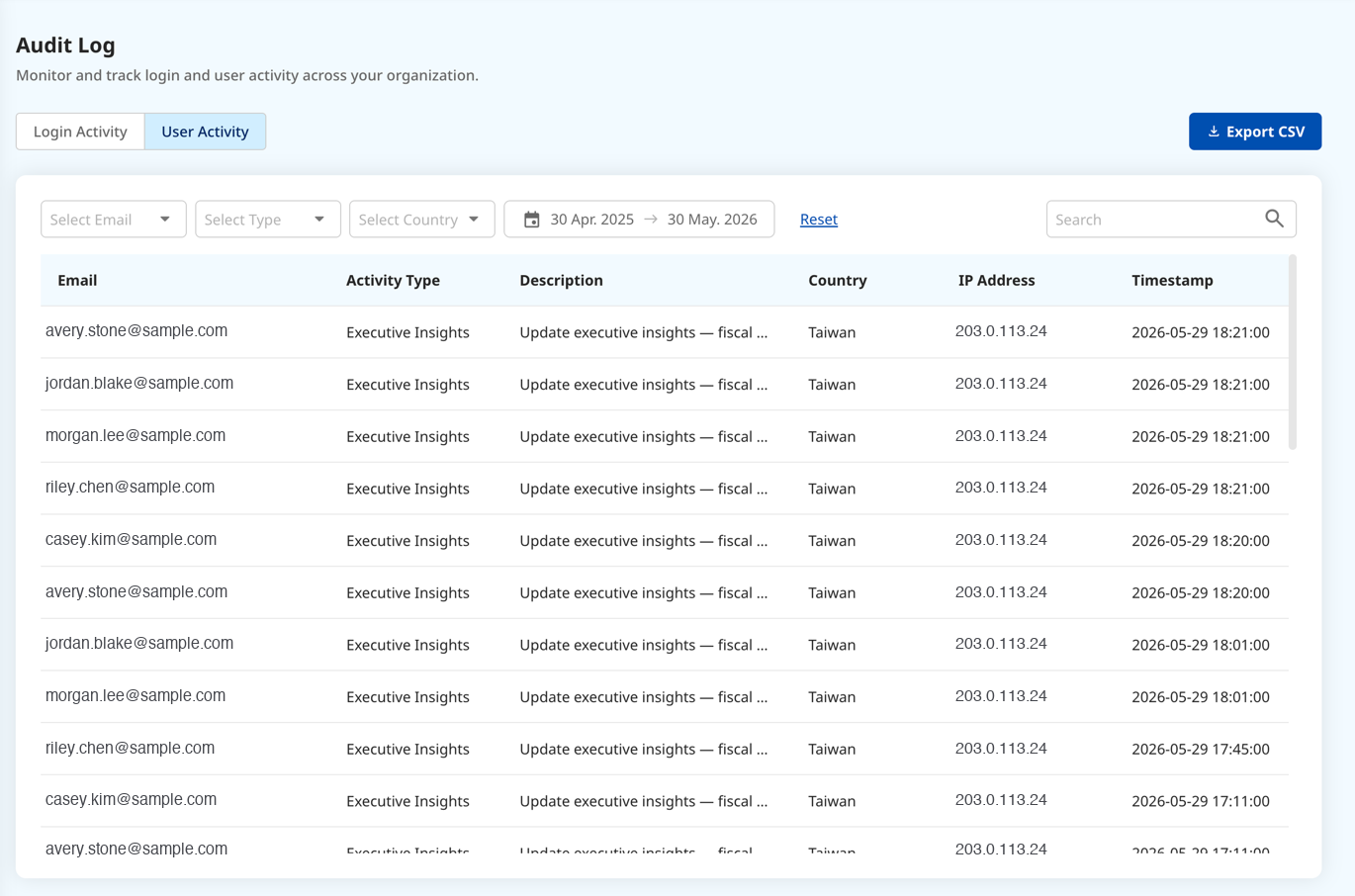
Every entry captures the user’s email, their role at the time, IP, device, and timestamp, linked to the Enterprise SSO identity — so each action ties back to a real person.
Finding entries
Section titled “Finding entries”Filter by time, type, and user (multi-select, with a custom date range), plus keyword search. There’s no pagination — you narrow with filters and Export CSV instead. Columns follow the order User Email → Type → IP → Timestamp (who → what → from where → when).
Retention and integrity
Section titled “Retention and integrity”Logs are read-only and retained for 13 months, kept as snapshots that cannot be manually deleted.
Permissions
Section titled “Permissions”Only Owner / Admin can view and export the Audit Log — although it records the actions of every role.
Notes & edge cases
Section titled “Notes & edge cases”| Situation | Behavior |
|---|---|
| A failed login | Highlighted in red in the list. |
| Trying to delete a log entry | Blocked at the system level (read-only snapshots). |
| An entry older than 13 months | No longer retained. |
| A non-admin opens the page | Cannot view the Audit Log. |