
Organization Settings
Authorization List
Authorization List is where Admins connect each cloud’s billing and usage data sources. It’s the starting point for every cost and usage analysis in LumiTure — until a cloud is authorized, its data doesn’t appear anywhere in the platform.
Availability
Section titled “Availability”Authorization is a core integration and is included on every plan — without it, the platform’s analysis features have no data. This page is Owner / Admin only; T1 / T2 Managers and Members have no access.
The Authorization List page
Section titled “The Authorization List page”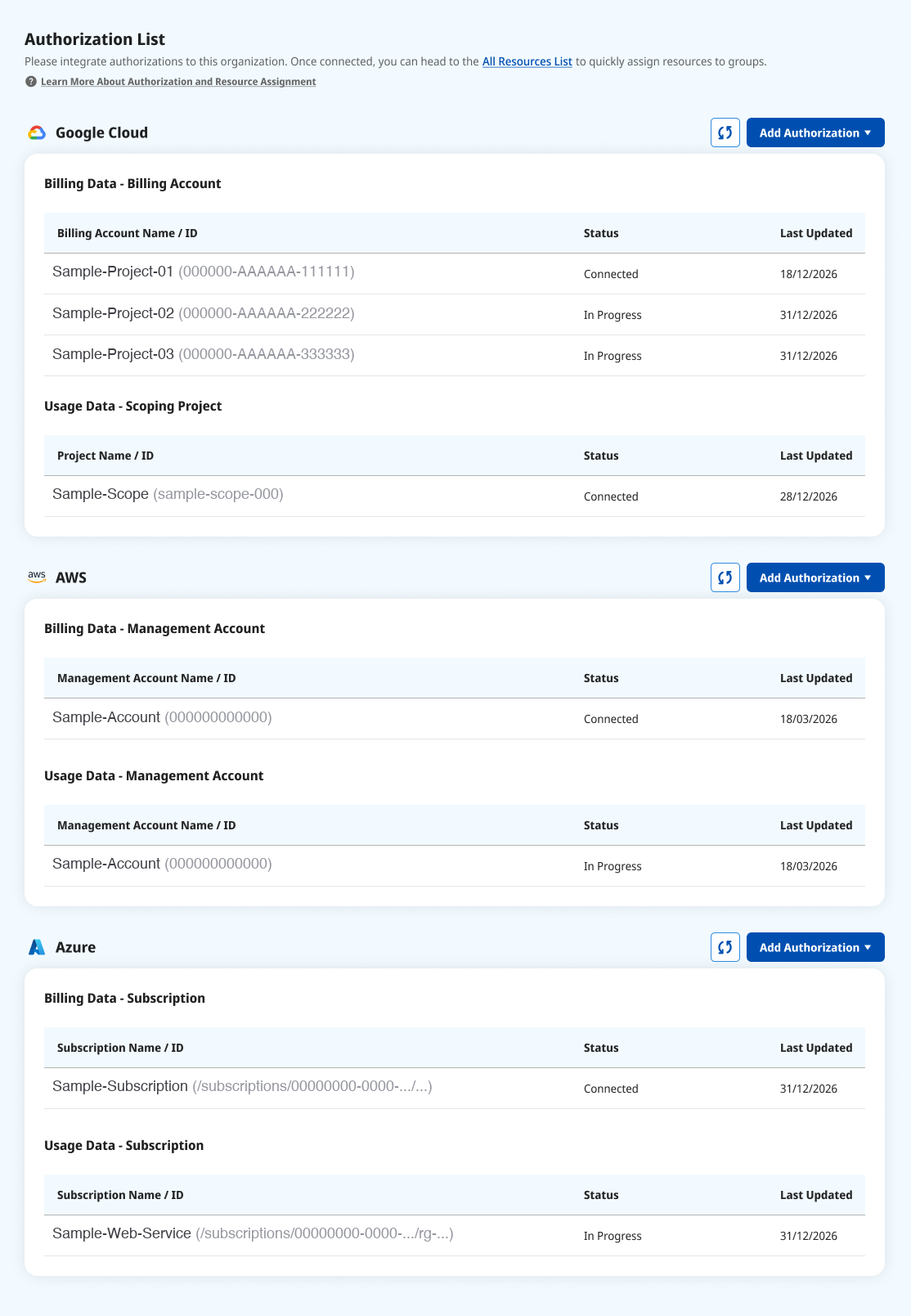
Authorizations are grouped by cloud (Google Cloud / AWS / Azure). Each account shows its Status (Connected / In Progress / Error) and Last Updated. Use the refresh button to re-check a status, or Add Authorization to connect a new source. A cloud with no authorizations shows an empty section.
| Cloud | What’s listed |
|---|---|
| Google Cloud | Billing Data (Billing Account), Usage Data (Scoping Project) |
| AWS | Billing Data (Management Account), Usage Data (Management Account) |
| Azure | Billing Data (Subscription), Usage Data (Subscription) |
Adding an authorization
Section titled “Adding an authorization”- Click Add Authorization and choose Billing or Usage. (Both are available for Google Cloud / AWS / Azure.)
- Each cloud starts with a tutorial page covering its prerequisites, then takes you to the details form.
- Fill in the required details (below).
- Click Check to validate permissions and data. Only after Check passes can you Integrate, and the fields lock once Check passes.
| Cloud / type | What you provide |
|---|---|
| Google Cloud Billing | Billing Account ID, plus the project and dataset holding your detailed billing export, and a service account LumiTure can read it with. |
| Google Cloud Usage | A Scoping Project ID (used by Rightsizing / recommendations). |
| AWS Billing | Management Account ID, plus a cross-account role LumiTure can assume. |
| AWS Usage | The Management Account, which must already be authorized for Billing. You need administrative access to it to set up the role LumiTure reads usage with. |
| Azure Billing | The Subscription. |
| Azure Usage | The Subscription, which must already be authorized for Billing. You need Owner or User Access Administrator on it to assign the read-only role LumiTure reads usage with. |
- Integrate is disabled until Check passes, and fields lock afterwards.
- Duplicate authorizations are blocked — the same target can’t be added twice.
- Permission or path problems (insufficient access, wrong project / dataset, quota limits) are reported at the Check stage and block integration.
Permissions
Section titled “Permissions”Owner / Admin only. T1 / T2 Managers and Members cannot see or edit this page.
Notes & data freshness
Section titled “Notes & data freshness”| Situation | Behavior |
|---|---|
| A cloud has no authorization yet | Its section is left blank. |
| Duplicate target | Blocked, with a note that it’s already in the org. |
| Permission or data error | Reported at the Check stage with the reason. |